Download the app and press Record: 7 days or 5 meetings free, no card and no email. Then from DKK 99 a month. See the plans
On the phone, Lyt only hears you.
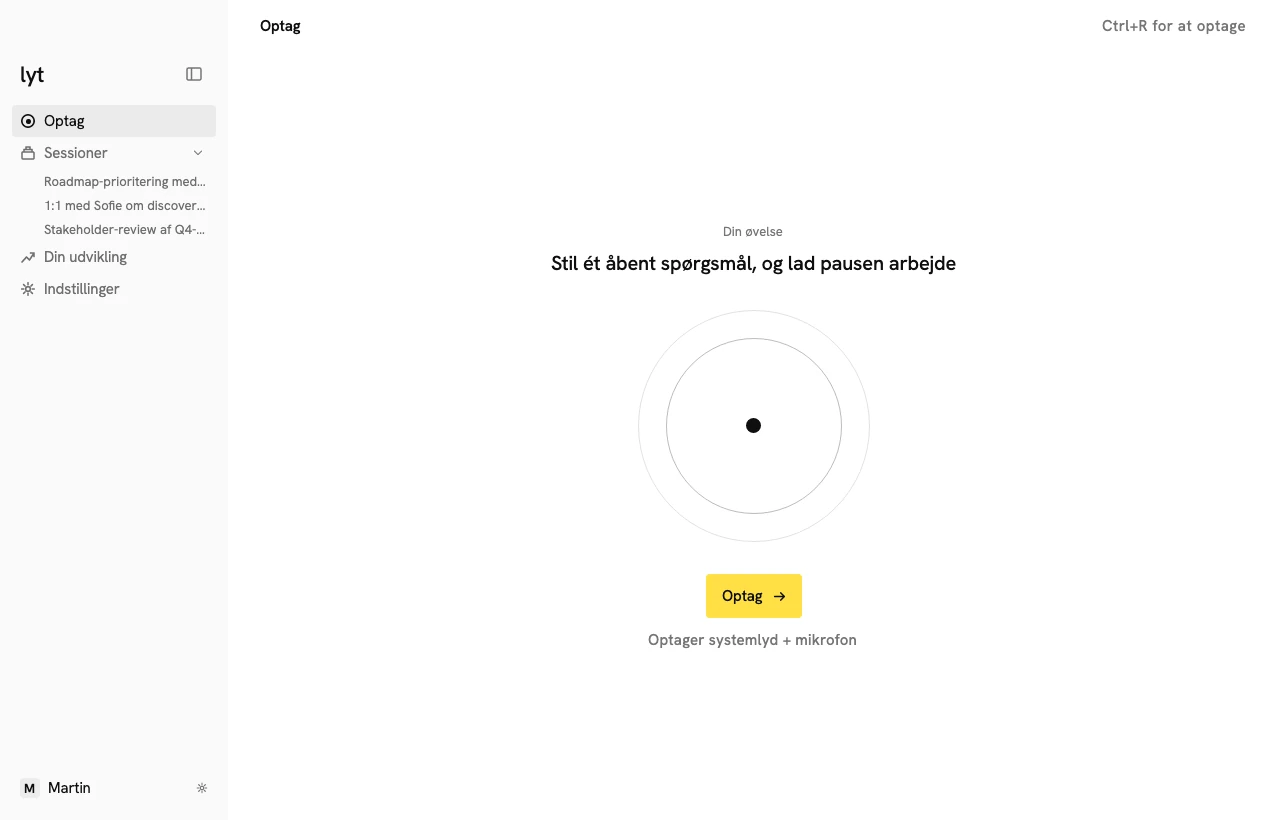
Most meetings happen through a screen, and there the other voices sit inside the machine. The Windows version records the microphone and the machine’s own audio at once, so the coach can see what you were responding to.
Lyt
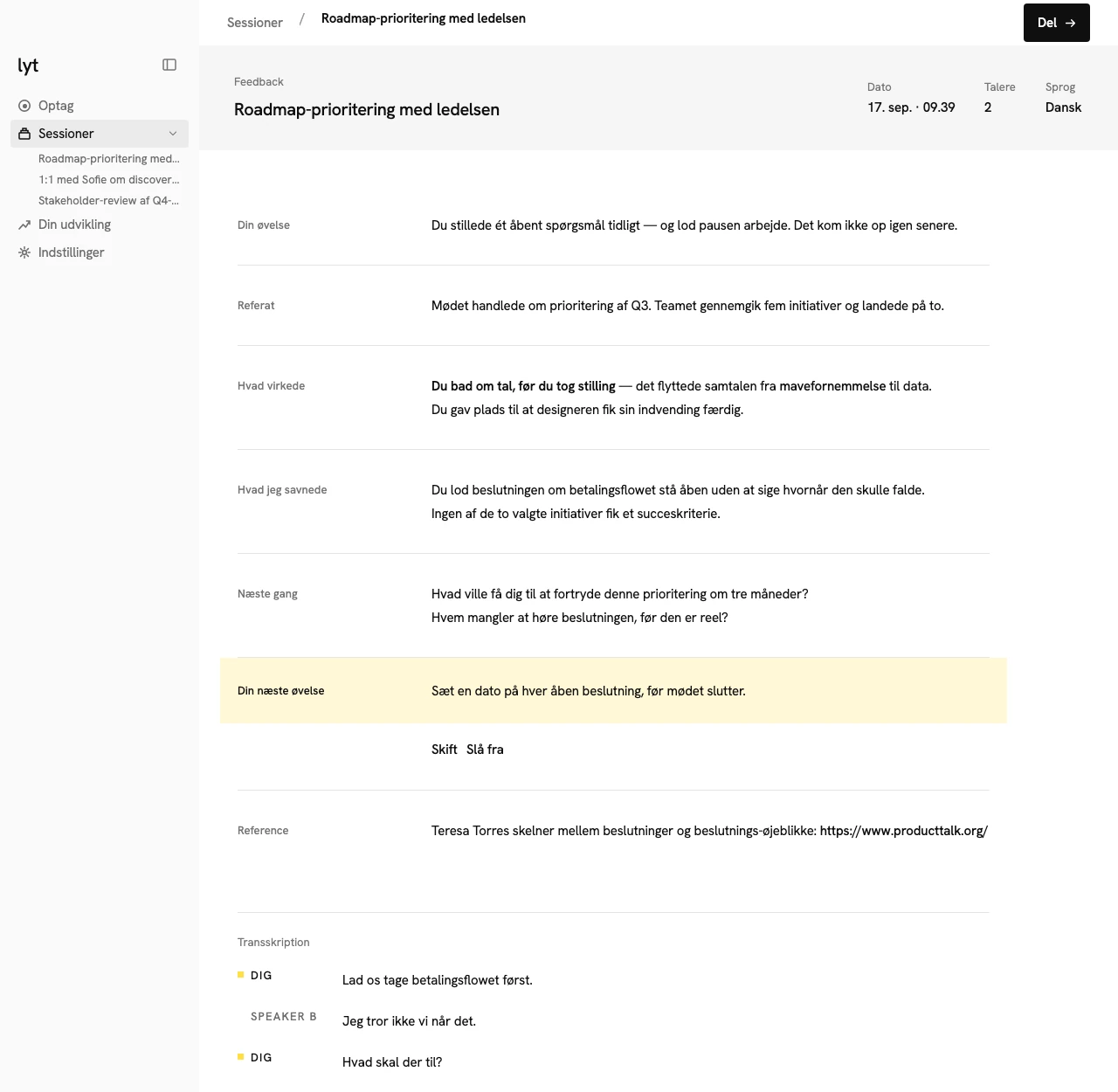
Concrete feedback, quoted from your own meeting.
01 Hit record→02 Hold your meeting→03 The feedback lands
Lyt
That is the difference between feedback on a monologue and feedback on a conversation.
How to get started.
Download and open. One file, no installation. The first time, Windows asks whether you trust the program; the answer is under Questions.
Pick a plan, and add your key if needed. With Lyt Plus the engine is included and you skip the key. With the own-key plan, Lyt runs on your own or your workplace’s key: Anthropic, OpenAI or Azure OpenAI. Meeting data then goes to your own account.
Hit record before the meeting. Turn on system audio if the meeting runs in Teams or Zoom. Then what the others say gets picked up too.
Pick a plan.
Lyt PlusRecommended
DKK 1,499/year
about DKK 125 a month
Lyt’s own engine, no AI key. Up to 40 meetings a month.
7 days free, no card. If you want to continue afterwards, you add a card and the price above applies. Otherwise it stops by itself. Lyt activates by itself; use the licence code from the email for more machines.
Because the program is not code signed yet. Click More info → Run anyway. The warning means the publisher is unknown to Windows; nothing was found wrong in the file. A certificate is on the way, once the app goes out to more people.
What does it require of my PC?
Windows 10 version 1809 or newer. There is no .NET or anything else to install; it is all in the file. If you have a Surface or another ARM PC, take the ARM64 build.
Does it record what the others say too?
Yes, and that is the whole reason the PC version exists. It captures both your microphone and the sound from the machine, so a video meeting with a headset is recorded from both sides.
Where do my recordings end up?
The audio sits locally on your PC and is deleted automatically after seven days. Transcript and feedback stay until you delete them yourself. The analysis itself runs on Lyt’s engine or, with your own key, on your own AI account.
Is it as finished as the iPhone version?
The features are the same, but the Windows version is new. If the audio plays up, use Settings → Check audio → Copy diagnostics and send it to me, then I can see exactly what happened.
Download the file, and hit record before your next meeting.
Download the app and press Record: 7 days or 5 meetings free, no card and no email. Then from DKK 99 a month.
We use PostHog to understand how the site is used, and the Meta Pixel to measure
our ads on Facebook and Instagram and show them to the right people.
Read more.